
-
Daniel Carter
- 20 Mins Read
Pros
Cons
Apple Watch SE 3 Specs
| Price | Starting at $249 / $299 (Cellular) |
| Size | 44 × 38 × 10.7mm or 40 × 34 × 10.7mm |
| Weight | 32.9g (44mm GPS), 33.0g (44mm Cellular), 26.3g (40mm GPS), 26.4g (40mm Cellular) |
| Display | 1.78-inch or 1.57-inch Always-On Retina OLED |
| Case Material | Aluminium |
| Screen Material | Ion-X Glass |
| Water Resistance | 50m |
| Battery Life (Watch) | Up to 18 hours |
| Battery Life (Low Power Mode) | Up to 32 hours |
| Storage | 64GB |
Three years is a long time in tech, and the Apple Watch SE has spent every one of them quietly proving it doesn’t need a yearly refresh to stay relevant. With the SE 3, Apple continues that line’s legacy and makes it, once again, the best choice for the first-time smartwatch buyer with an iPhone. By equipping it with the S10 chip, Apple has made the SE 3 incredibly capable and future-proof, adding modern features like Double Tap that were flagship-only until now. The design is dated, and single-day battery life remains the key compromise, but ultimately these are smart trade-offs. What SE 3 delivers is a full, premium Apple Watch experience, including excellent tracking accuracy and unrivalled smart features, at a fraction of the flagship price.
In a mostly unremarkable update year for the flagship Apple Watches, the Apple Watch SE 3 stands out as the most improved model since the last generation and the model to buy for most users. Apple gives users a lot of choices these days: the Apple Watch SE 3, the Apple Watch Ultra 3, and the Apple Watch Series 11. Some of them come in multiple sizes, and every Apple Watch model gives you at least two color options to choose from.
It has been three long years since we last saw a new Apple Watch SE, and in that time, the smartwatch has quietly become one of Apple’s most important products across the entire spectrum. The SE line has to perform a tricky balancing act: stay compelling enough to be the default Apple Watch for the masses, without cannibalizing its more expensive sibling, the Series 11. With the Apple Watch SE 3, the company has nailed that balance again.
On the outside, this is a watch we’ve seen before. The chassis is practically a time capsule from 2019, and the feature list still omits health sensors that its flagship counterpart gets. Inside, it’s a different story entirely. Giving SE 3 the latest S10 chip means top-tier performance is delivered in a smooth, future-proof experience, with compromises made in all the right places.
This is not a watch for data-obsessed athletes who demand multi-day battery life. It’s for someone beginning their fitness journey, for kids and teenagers, or for the millions of iPhone users who simply want notifications, Apple Pay, and phone-free music on the wrist. As a gateway to the Apple Watch ecosystem, its price is hard to fault.
Price, Release Date & Availability

Apple Watch SE’s starting price of $249 maintains its entry-level price point, and that context matters for everything else here, because cost defines the entire purpose and value of this watch. Of all Apple Watches, this is the one most relevant to the competition outside Apple’s own walls, but it’s just as useful to understand its place in the internal brand hierarchy first.
For years, Apple has been continuing its good, better, best tiers strategy. SE 3 is the “good” entry point. Pay through an extra $150, and you get the “better” Series 11, with its beautiful, modern design, edge-to-edge always-on display, faster charging, and a more advanced health suite (ECG and SpO2). Go all the way to the top, and the “best” Ultra 3 offers a rugged, premium build that packs personality, better GPS tracking, and multi-day battery life of up to 36 hours.
Positioned against fitness-focused trackers like the Huawei Watch Fit 4 and Garmin Forerunner 165, SE 3 tells a different story. Those devices offer more in-depth training analysis, and crucially, they do not need to be charged every day. But they’re fitness trackers, not smartwatches. Third-party app support is minimal, and iPhone integration is basic at best.
That’s really the whole point of Apple’s Watch SE. It’s the less expensive variation on the same theme, and it still packages almost everything you’d want from an Apple Watch, just brought down to a wallet-friendly level. Its main skill isn’t tracking your VO2 max better than a dedicated running watch; it’s being a proper smartwatch. SE 3 delivers the same seamless, second-screen experience of Apple’s services that its pricier siblings do, backed by a rich app store, flawless music controls, and genuinely deep iOS integration. At $249, there’s simply no competitor at this price that matches what SE 3 offers.
Design and Display
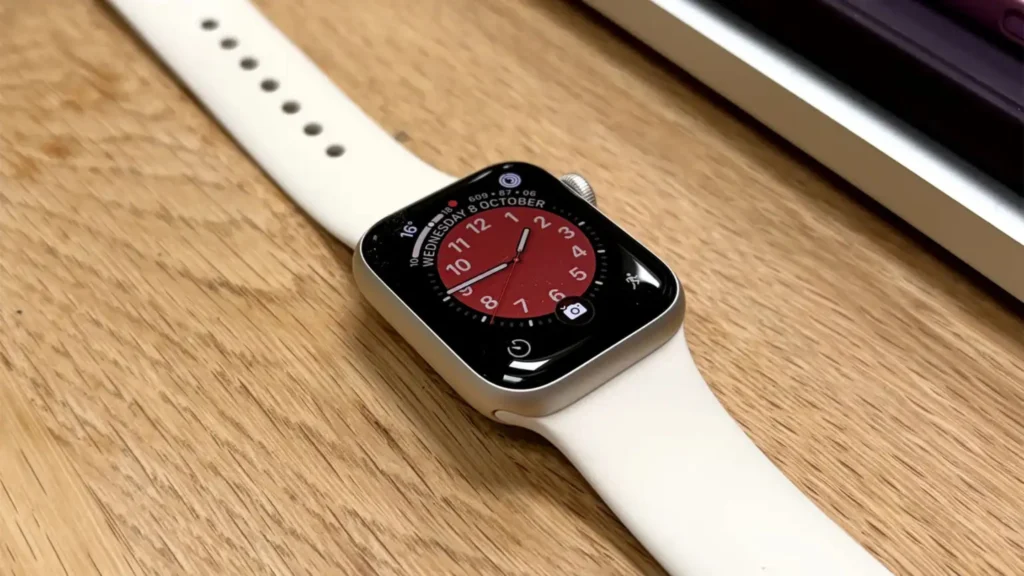
Not a lot has changed here. The Apple Watch SE 3 has not received a design upgrade since 2022, and what has not changed is the overall design, which looks nearly identical to its predecessor. Yes, the design is dated, for all intents and purposes, the same chassis that Apple Watch Series 4 first showcased back in the heady days of 2018. In an age of edge-to-edge displays, the thick, chunky borders surrounding the SE 3’s screen feel jarring if it’s consistently worn next to any of Apple’s newer models. It’s not the most pleasing shape by modern standards, and you can’t escape the fact that this is an old design. But it still performs impressively across a broad range of use cases, and it’s ultimately one of the most iconic and proven designs in tech history.
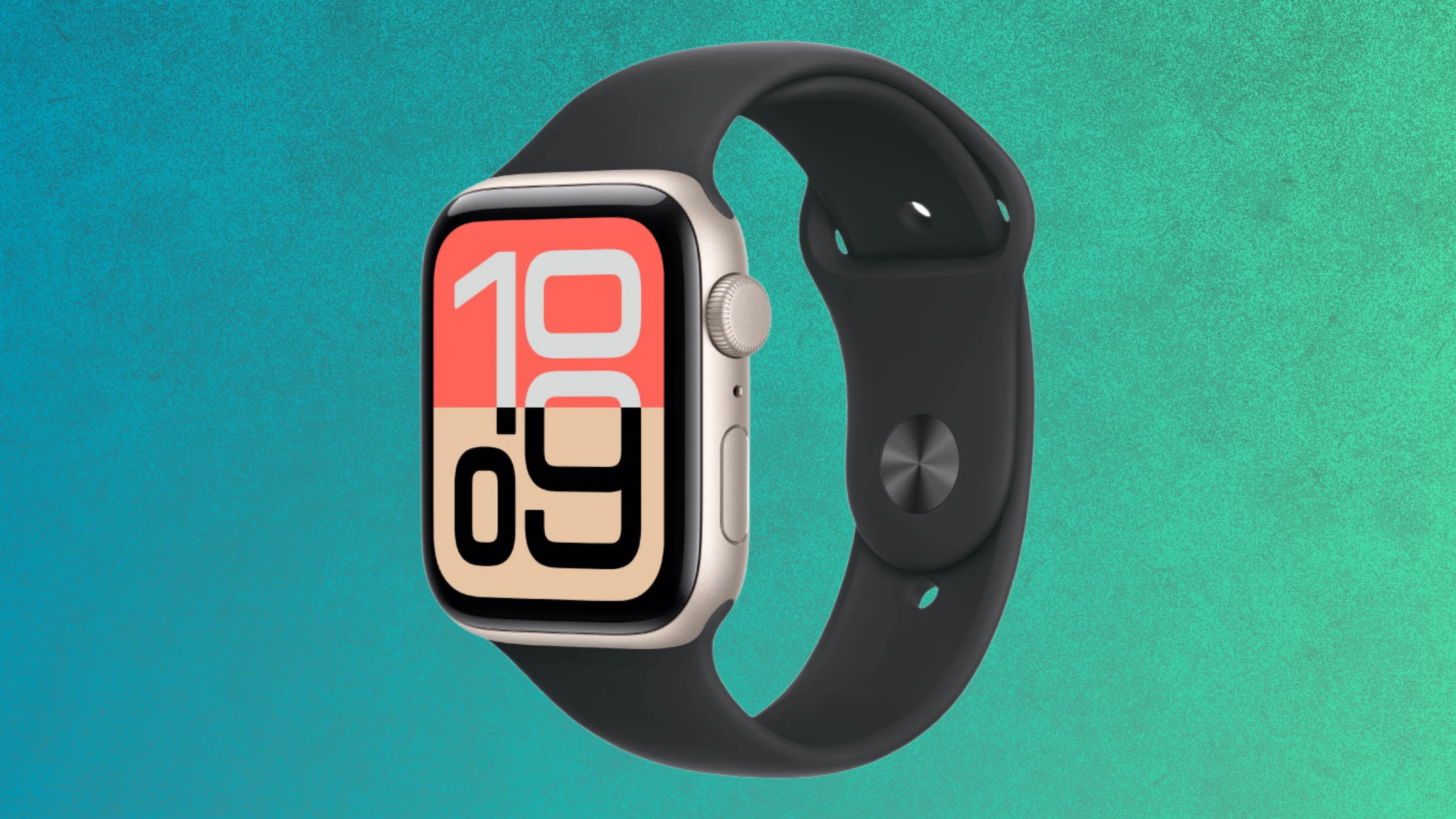
Apple has been a bit more restrained with color this time. Apple cut its color options down, and SE 3 now comes in just Midnight and Starlight, axing the silver from the lineup entirely. The good news is that both 40 and 44mm sizes are still available.
The display itself is an LTPO OLED panel, with a resolution of 324 by 394 pixels for the 40mm and 368 by 448 pixels for the 44mm. That’s a fair bit smaller than the largest 46mm Apple Watch Series 11, which packs a 416 by 496 pixels display. Peak brightness is where things get interesting: the display reaches up to 1000 nits of brightness outdoors and can dim down to just 2 nits, comfortable enough for nighttime use. Crucially, this is Apple’s first Watch SE with an always-on display, letting you check the time without raising your wrist.
Build Quality and Comfort

The 40mm Starlight model is the ideal size for smaller wrists or for anyone who finds modern flagship watches large and obtrusive. It’s neat enough that it doesn’t get caught on cuffs or sleeves, and it disappears on the wrist during workouts or sleep.
Two extremely useful changes come from the software side of the watch. If you’re trying to look at the time in bed or in a movie theater, the always-on display is not nearly so bright, so you don’t lift your wrist to check the time; instead, you glance at your wrist and see it right away, which helps you stay in the moment more.
The display is protected by new, stronger Ion-X glass, rated as 4X as crack-resistant as before. The back is still nylon composite, not sapphire crystal, with a sensor cluster in the center. The cover sensor retains the same second-generation optical heart rate sensor as the last model.
Peak brightness isn’t quite as high as the pricier watches, and Ion-X glass is not as scratch-resistant as the Ultra’s sapphire crystal screen. Still, it’s bright enough even in the harshest sunlight, and the screen stays perfectly legible. We picked up zero scratches during weeks of testing. For the price, this display is more than good enough, and honestly, it’s great.
Display Brightness and Always-On
Part of the reason the old design used for the SE 2 still feels acceptable in 2026 comes down to one addition: the crucial feature that is the always-on display. It makes SE 3 essentially a Series 5 on the outside, since that was the first Apple Watch to come with the feature. This is a single change, but it’s the biggest functional upgrade over the previous edition, and it finally makes SE 3 feel like a real smartwatch.
The display’s limited specs mean it doesn’t offer ticking-seconds-hand animations the way pricier models do. That’s a fair trade, though, given everything else you’re getting. With watchOS 26 running on top, the whole interface feels alive and present, even at a glance, and the always-on screen genuinely changes how you interact with the watch day to day.
Performance and Internals (S10 Chip)
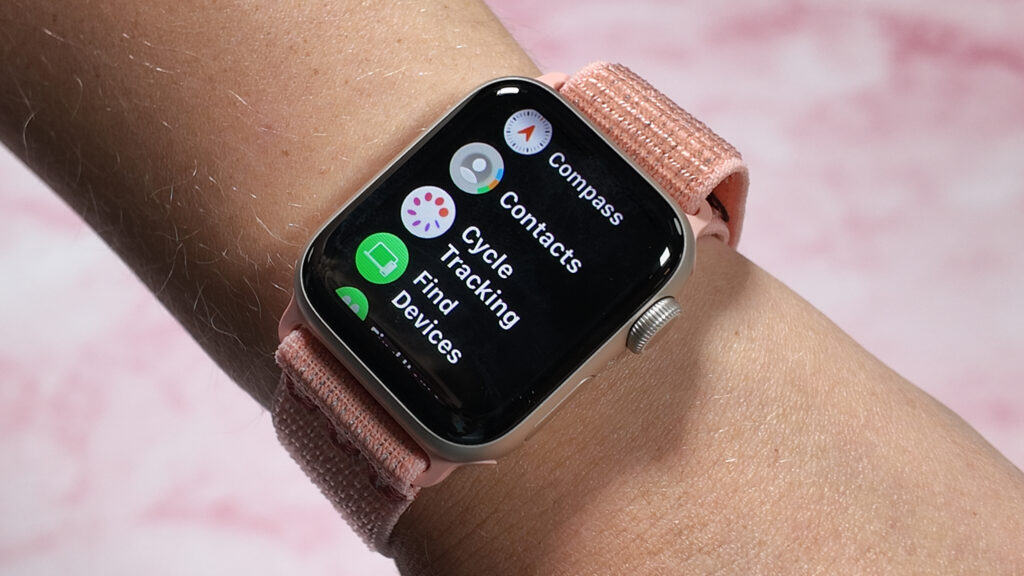
SE 3 gets a fully refreshed set of internals this year, and this update improves performance while also ensuring compatibility with upcoming features for years to come. Apple has moved from the S8 SiP to the S10 SiP, which is essentially the same chip found in the Series 10, Series 11, and Ultra 3 models.
The S10 chip helps SE 3 run watchOS 26 smoothly, letting it bring over features like the neat “Liquid Glass” design, Smart Stack, a fresh set of watch faces, and full App Store access. This unlocks third-party apps, like Runna, that can bolster the native fitness tracking already on board. The chip is simply more powerful, allowing for greater processing headroom, enabling new health features, and opening up more ways the watch interacts with you, such as its new one-handed gestures.
What SE 3 still lacks is the U2 chip, which means it doesn’t get precise finding. You can still use the watch to find your iPhone, but the experience of finding your iPhone, keys, or an attached AirTag isn’t as seamless. That’s a shame, since precise object-finding has become one of the most used features on newer Apple Watch models, and it feels like a missed opportunity for an upgrade here.
Elsewhere, the chip refresh pays off. SE 3 gets GPS with support for the BeiDou GPS network for better accuracy in China, and 5G support is now available on cellular models, all for a fairly modest charge over the GPS-only price. Apple has also been incredibly generous with chip support on Apple Watch models over the last few years, so it’s hard to tell exactly how long the new S10 chipset will keep SE 3 current before it starts to drop off toward the back of the support list, but based on precedent, you should get several solid years of software updates out of it.
Speed and Everyday Smart Features
The smart features here are the real reason to choose SE 3 over its competitors, and this move mirrors Apple’s iPhone SE strategy. Apple avoided saddling SE 3 with a nerfed, years-old processor in its budget watch, and instead gave SE 3 the S10 chip, the exact same flagship silicon that powers the $799 Ultra 3. The result is an experience that feels identical to the higher-priced models in daily use. Menus are snappy, apps load instantly, and gestures work reliably, more than just spec-sheet bragging, too.
The S10 chip unlocks features that were not available on previous models. Double Tap, the one-handed gesture control that was previously flagship-only, is now a standard feature here, alongside a new wrist-flick gesture for navigating notifications. Neither is exactly game-changing on its own, and it’s a stretch to call any single Apple Watch experience revolutionary at this point, but ultimately it’s the whole collection of elegant tricks that matters, and the inclusion of S10 means SE 3 gets the best of them.
Then there are the familiar features, which remain incredibly compelling: Apple Pay for contactless payment, flawless pairing across your devices, and Apple Music streaming, especially given its exclusivity within Apple’s own ecosystem. All of it works, basically, without friction, and does so in the profoundly true Apple way that competitors still struggle to replicate.
This is what separates SE 3 from every other device in its price range. The Huawei Watch Fit 4 has a much more limited app store. The Forerunner 165 can’t reply to your messages neatly when paired with an iOS device. And SE 3 is anything but a “lite” smartwatch; it’s just one in an old body.
Gesture Controls
Let’s break out the gestures on their own, since they’re among the biggest new features here. This control feature — gestures and wrist flicks — is one you’ll use repeatedly throughout the day, and it’s hard to ever go back once you get used to it. Once you start using it, the Apple Watch SE 3 allows you to control some of the menus easily without touching the screen at all.
Double tap, or double click, will pull up your list of widgets. If you get an iMessage notification, a double tap will allow you to respond in a seamless way, letting you use your voice to dictate your response — say what you want to say, and then double tap to send. Double tap can also open Smart Stack, another amazingly useful feature, and double tap works even better when combined with a wrist flick.
In practice, double tap will select the primary button on the screen, while a wrist flick will go back to home and clock. If you get a notification, a wrist flick to dismiss it is all that’s needed. Previously, dismissing a notification required swiping up with your other hand, which was never as elegant. These new gestures genuinely improve usability, and it’s the S10 chip that brings them to the Apple Watch SE 3 for the first time, turning a fairly ordinary budget watch into something that feels considered and modern to actually use.
The real value shows up in situations where you physically can’t touch the screen. Carrying grocery bags, holding a coffee cup, or pushing a stroller with both hands means notifications used to just pile up until you were free. Now, a quick flick of the wrist clears them, and a double tap answers a message without breaking stride. It sounds like a small thing until you rely on it every day, and then it becomes one of the features you miss most when switching to a watch without it.
Health and Fitness Tracking

Apple’s balancing act is most apparent in the health suite, where SE 3 is measured directly against Series 11. Health tracking is increasingly central to the core Apple Watch experience, and year after year, Apple has introduced new features designed to help users lead healthier lives. This third generation has brought a few new metrics that get a crucial upgrade over the SE 2, and arguably the most widely applicable of them is the temperature sensor.
That sensor is a huge boost over the SE 2nd generation, enabling retrospective ovulation estimates and cycle tracking via the Cycle Tracking app, alongside richer wrist-temperature data in the Vitals app. Other new features carry over from the flagship line, too: Workout Buddy offers AI-powered encouragement and insights after each lap or set, and Sleep Score gives a nightly readout of rest quality, even if it’s slightly basic compared with a device like Ultra 3.
For a beginner runner, cyclist, or general fitness enthusiast, SE 3 delivers a tracking experience that’s functionally very similar to Series 11. The core safety features, meanwhile, are non-negotiable across the whole lineup: Fall Detection, Crash Detection, and high- and low-heart-rate notifications all come standard here, giving SE 3 the same peace-of-mind foundation as its pricier siblings, even where the more advanced diagnostic sensors are missing. For most people who just want to know they’re moving enough, sleeping reasonably well, and staying safe during a fall or a car accident, that’s a genuinely reassuring package to have on your wrist for under $300.
Heart Rate and Sleep Tracking

SE 3 simply doesn’t get the sensors that power Apple’s most advanced health features. There’s no ECG feature (for potential AFib detection) and no Blood Oxygen (SpO2) app here. You also don’t get passive hypertension notifications, so if you have a specific, known heart condition you want to monitor closely, SE 3 can’t do that.
What it does have is the same optical sensor as before, and it’s a reliable component of the Apple Watch experience. It delivers heart rate results that are broadly in line with the flagship models during everyday wear and workouts. Thanks to the S10 chip and watchOS 26, SE 3 also picks up software-based health features like Sleep Apnea detection and the new Sleep Score, giving simpler, more basic insight than a dedicated sleep tracker from Garmin or Oura, but this is a tool built for the average user, not a sleep scientist.
For that average user, it’s reliable. Apple’s approach here is outstanding at the basics: knowing when you fell asleep, when you woke up, and turning that into one actionable number each morning. For a beginner just starting to pay attention to their sleep and heart data, that’s more than enough to work with.
Battery Life and Charging

The Apple Watch SE 3’s biggest functional issue is battery life. Technically, there are no improvements to battery life at all; the standard rating is still 18 hours of use, the same as the prior-gen model and the Apple Watch Series 10. This remains a daily-charge device. During testing, that’s a noticeable step behind the Apple Watch Series 11, which now promises 24 hours of battery life.
If you wear the watch all day with the always-on display active, track a 30-minute GPS run, and receive notifications throughout, you’ll probably go to bed with around 20% battery left. That’s fine for a full night of sleep tracking, but you’ll certainly need to charge it at some point the next morning.
During testing, we found that roughly 10 percent of battery drops overnight during sleep tracking. Go to bed with 100%, and you’ll likely end up around the 90% mark by morning. Go to bed with 80%, and you’ll probably land near 70%. If you don’t care about sleep tracking, this isn’t an issue at all; you can wear the watch during the day and place it on the charger overnight, just like your phone. But if you want sleep tracking, you’re forced to adopt a different charging routine, one that’s constantly floating in the back of your mind. It’s essentially a 40–50 minute window every day, perhaps in the shower or at your desk, to top it up before bed. That’s still better than SE 2, but it’s still not really a fast-charging smartwatch.
That said, SE 3 is using fast charging for the first time, and it supports it well enough that you don’t need much time with a compatible fast charger. Plug it in, and you can get an 80% charge in around 45 minutes. That’s not quite as good as the 30 minutes on the Apple Watch Series 11, but it’s still faster than what SE 2 offered. If you’re really pressed for battery, you can turn off the always-on screen for slightly better battery life, maxing out at a little over a day, though a charge is likely on the cards before you get home either way.
Should You Buy the Apple Watch SE 3?
The Apple Watch SE 3 packs in 99% of the features you’d get from the more expensive Series 11, at nearly half the price. Heart rate and GPS accuracy are good enough for anyone but serious athletes running or cycling at a competitive level.
About the only bad things we can say about the Apple Watch SE 3 are its poor battery life, which means you’ll charge it every day, and its dated design, which won’t be for everyone. But if those two things don’t get under your skin, and you’re an iPhone user looking for real value, this price tag is hard to beat. The Apple Watch SE model, once again, delivers the most compelling features of the Apple Watch experience without asking you to pay flagship prices.
Frequently Asked Questions (FAQ)
Yes, for most people. SE 3 runs the same S10 chip as the $399 Series 11 and $799 Ultra 3, so day-to-day performance, app support, and gesture controls feel identical to the flagship models. You give up ECG, Blood Oxygen, and hypertension notifications, plus you’re stuck with the 18-hour battery rating instead of the Series 11’s 24 hours, but at $249, it’s still the best value entry point into the Apple Watch ecosystem for anyone who doesn’t need those advanced diagnostic sensors.
Yes, and it’s new for this generation. The SE 2 lacked an always-on display entirely, so this is one of the biggest practical upgrades in the SE 3. The always-on display dims significantly (down to 2 nits) to preserve battery rather than turning off completely, letting you check the time or your watch face without raising your wrist, matching how the Series 11 and Ultra 3 behave.
Apple rates the SE 3 at up to 18 hours of normal use, or up to 32 hours in Low Power Mode. That’s unchanged from the SE 2 and the older Series 10, and it’s noticeably shorter than the Series 11’s 24-hour rating. In real-world testing, expect to charge it daily if you’re using GPS workouts and the always-on display, though the SE 3 does now support fast charging, reaching about 80% in roughly 45 minutes.
Choose the SE 3 if budget matters most and you don’t need ECG, Blood Oxygen, or hypertension notifications; it shares the same S10 chip, gesture controls, and app experience as the Series 11 for $150 less. Choose the Series 11 if you want a longer 24-hour battery life, a thinner and more modern edge-to-edge design, faster charging, and the full advanced health sensor suite. For most first-time buyers or anyone upgrading from an old SE, the SE 3 covers the essentials; for health-focused users or anyone who wants the latest design, the Series 11 is the better long-term pick.
SHARE.
